CocoReader
LibraryGuidesCompareHow it worksFAQ
Download on the App Store

CocoReader is an iPhone app that turns the books you already own into audiobooks you listen to on your phone. Import a book that isn't copy-protected, choose from 20+ narrator voices on iPhone 12 and later, and press play.

  1. Home
  2. /Guides
  3. /Audiobook maker

An audiobook maker for the books you already own

By Philip D, maker of CocoReader

Plain-text version

Last updated: 17 November 2026

Free to download · 7-day free trial on annual Pro
iPhone, iOS 26.2+

In short

In short: iPhone, iOS 26.2 or later. English voices. Once your voice and books are downloaded, you can listen with no internet connection.

Last verified 17 November 2026.

On this page

  1. Which audiobook tool do you need?
  2. How it works on iPhone
  3. What books can you turn into an audiobook?
  4. How natural do the voices sound?
  5. Listening, not publishing
  6. FAQ
Back to top
  1. Which audiobook tool do you need?
  2. How it works on iPhone
  3. What books can you turn into an audiobook?
  4. How natural do the voices sound?
  5. Listening, not publishing
  6. FAQ

Which audiobook tool do you need?

People looking for an audiobook maker usually want one of three things: to listen to a book they already own, to export files they can publish, or to have the iPhone read whatever is on the screen.

ToolBest for
CocoReader: Book to AudiobookListening yourself, on iPhone, to books you already own
A creator tool such as audiobook.toolsExporting files to publishchecked 17 Nov 2026, https://audiobook.tools
Apple Speak ScreenBuilt into iPhone settings; reads the screen, not a book playerchecked 17 Nov 2026, https://support.apple.com/guide/iphone/hear-whats-on-the-screen-or-typed-iph96b214f0/ios

audiobook.tools is a browser studio for converting, narrating and exporting MP3 or M4B files, including checks aimed at publishing (17 Nov 2026, https://audiobook.tools). Apple Speak Screen lives in Settings › Accessibility › Read & Speak and reads the text on the screen when you swipe down with two fingers from the top (17 Nov 2026, Apple Support).

How it works on iPhone

  1. Get CocoReader on iPhoneDownload CocoReader: Book to Audiobook from the App Store. It needs iOS 26.2 or later, and it reads in English.
  2. Import a book you ownTap "Import" and pick a book file that isn't copy-protected. Or download one of the 1,500+ free classics in the app.
  3. Choose a voice and press playOpen the book, pick a voice and tap play. Listening continues with the screen locked.

Download CocoReader: Book to Audiobook (iOS 26.2 or later).

For the full walkthrough, see Turn a book you own into an audiobook on iPhone.
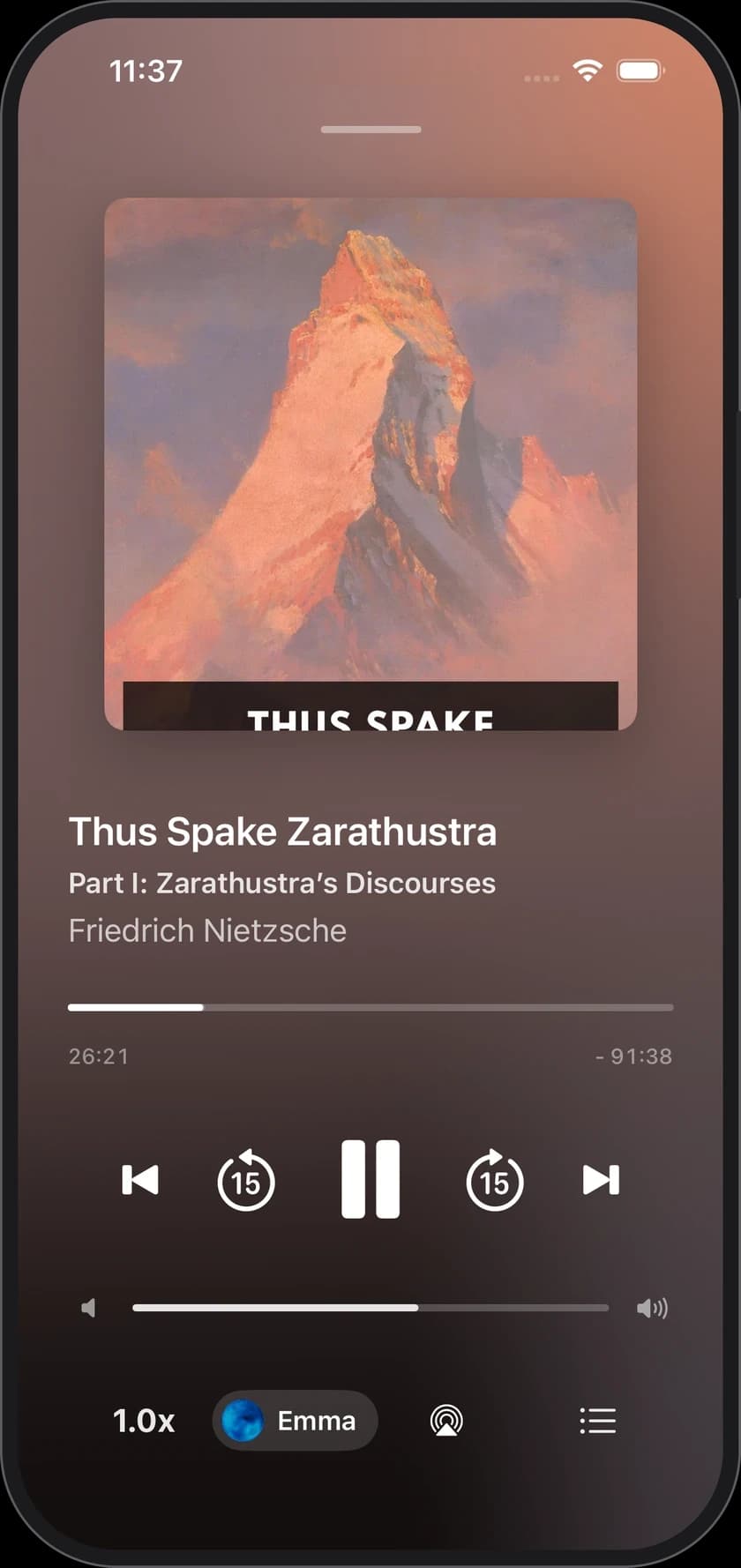
CocoReader player playing Thus Spake Zarathustra with the narrator Emma selected

Turn a book you already own into an audiobook.

Import a book you own, pick a voice, press play.

Free to download · 7-day free trial on annual Pro

CocoReader player playing Thus Spake Zarathustra with the narrator Emma selected

What books can you turn into an audiobook?

Many Kindle and Apple Books purchases are copy-protected, so they can't be imported. CocoReader works with books you own that aren't copy-protected.

No file yet? Start with the 1,500+ free classics you can download in the app.

If you want to check a file first, use the book file checker.

How natural do the voices sound?

Choose from 20+ narrator voices on iPhone 12 and later. Set the speed from 0.75x to 2x.

Once your voice and books are downloaded, you can listen with no internet connection. See Listen with no internet connection.

Listening, not publishing

CocoReader is for personal listening on your phone: a book you already own, a narrator, play.

For prices, see Compare read-aloud apps for the books you already own. For a wider apps table, see Best book to audiobook apps for iPhone. Want it in plainer terms? See An iPhone app that will read my book to me.

FAQ

Yes. Import a book you own that isn't copy-protected, choose a narrator and press play.

Yes. CocoReader is an audiobook maker for iPhone: import books you own that aren't copy-protected, then read them aloud on your phone.

CocoReader uses narrator voices on your iPhone. Choose from 20+ narrator voices on iPhone 12 and later, and set the speed from 0.75x to 2x.

Many Kindle and Apple Books purchases are copy-protected, so they can't be imported. CocoReader works with books you own that aren't copy-protected.

CocoReader is for personal listening on your iPhone. Creator tools that export files to publish are a different job.

CocoReader is free to download, with a 7-day free trial on the annual plan. Pricing is on the compare page.

Yes. CocoReader has 1,500+ free classics you can download in the app.

An iPhone running iOS 26.2 or later. Voices are English only.

Keep reading

GuideTurn a book you own into an audiobook on iPhoneImport a book you own and press play. Three steps.Read →Library1,500+ free classics you can download in the appDownload a classic in the app and press play.Read →CompareCompare read-aloud apps for the books you already ownA dated table of apps that read books you already own.Read →CompareBest book to audiobook apps for iPhoneHow the read-aloud apps compare for books you own.Read →GuideListen with no internet connectionOnce your voice and books are downloaded, you can listen with no internet connection.Read →

Turn a book you already own into an audiobook.

Or read more about the CocoReader Book to Audiobook app.

Free to download · 7-day free trial on annual Pro

CocoReader player playing Thus Spake Zarathustra with the narrator Emma selected
CocoReader

An audiobook reader for iPhone, iPad and Mac. Upload your books, then listen.

support@cocoreader.cc
QR code: download CocoReader on the App Store

Get the app

Scan to download
on your iPhone

  • How it works
  • Features
  • Plans
  • FAQ

  • Free classics library
  • Guides
  • Comparisons

  • Contact us
  • Privacy Policy
  • Terms of Service
  • llms.txt
© 2026 CocoReader.
Made for listening to the books you own.
Download on the App Store

Free to download · 7-day free trial on annual Pro